
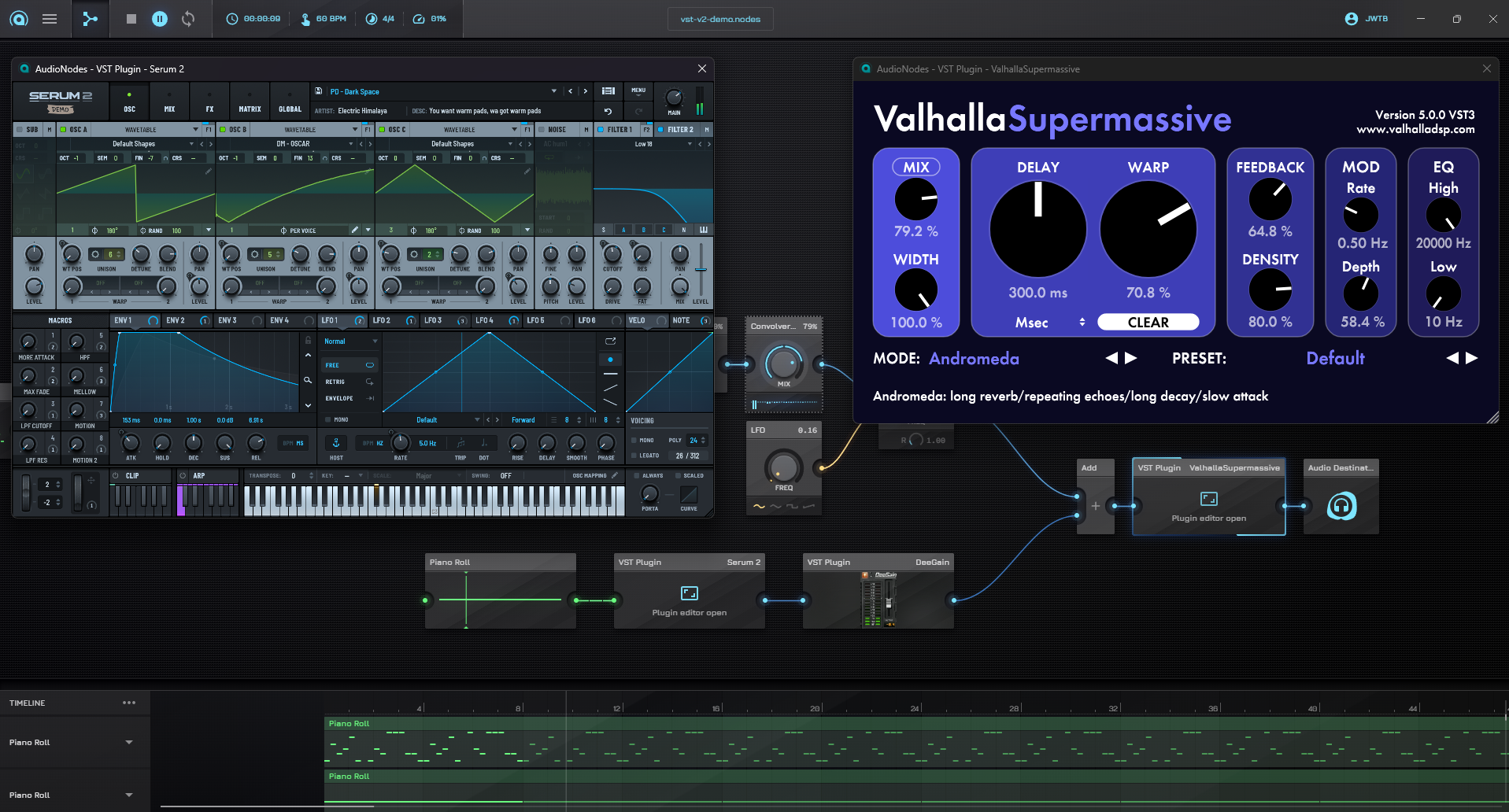
The new 0.13.0 major update of AudioNodes is now out. This major update does a complete rebuild of the experimental VST Plugin Node to massively increase its stability, add VST 3 plugin support, and introduce it on MacOS and Linux systems. The update also adds the brand new Atan Node and Atan2 Node, and fixes numerous important outstanding bugs.
Breaking Changes
- Constant folded Nodes now follow the same FTZ (flush to zero) semantics as their signal mode behavior, meaning that values under the IEEE 754 float32 normal threshold (approximately 1.175e-38, an incredibly low number) now become 0, exactly like the signal mode behavior
- In practice this should not cause behavior changes, except in very weird edge cases
- One known edge case is using a Sign Node with a constant input that happened to be under this threshold (but still above 0) — such an input will now cause the Sign Node to output 0 (it already output 0 in signal mode, this change only affects constant mode)
Priority Fixes
- Fixed an issue where an Audio File Node clip, if it was cut to end before the end of the audio file, would continue to play audio
- Fixed an issue that would cause snippet & custom Node previews and thumbnails to not generate
- Fixed multiple issues causing some Audio File Nodes to output silence during export
- Fixed Piano Roll Node causing the entire application to crash when pressing select all in the editor in touch mode
Nodes
VST Plugin Node
The VST Plugin Node has undergone a complete rebuild, and is one of the main highlights of this update. It’s still a work in progress, but it’s a massive step up from the earlier version in almost every way, with a finished version finally very close on the horizon.
The most significant part of this rebuild is a new OOP (out-of-process) audio processing model, where each VST plugin runs in its own host process, meaning plugin crashes are now isolated to their own process without bringing AudioNodes down entirely with them.
Notable changes in this update compared to the previous version:
- Massively increased overall stability, most plugins should now load without issue, even across multiple instances
- Massively increased audio processing stability, meaning most plugins will now be able to process audio without glitching at much lower buffer sizes
- Also added a new configurable buffer size specifically for plugins, to the main menu – settings – audio settings page
- Added support for 64-bit VST3 plugins
- Now works on all 3 supported platforms: Windows, MacOS, and Linux
- Reworked params editor under Node properties, it now shows params in categories (if the plugin defines that), and has a handy new search function
- The plugin GUI preview now updates continuously, instead of being an initial static snapshot of the GUI
- Fixed visible window flickering when loading a plugin (including opening AudioNodes with plugins already in the quickloaded project)
- Added feedback to the plugin window to indicate if a change added an undoable action to the undo history
- Added a new, optional latency output to be able to accurately sync the plugin’s output to other parallel processing lines using Delay Nodes
Known gaps/limitations that still remain in the current implementation:
- Plugins with multiple separate audio inputs (not including parameters) or outputs are not yet supported (e.g. sidechain compressors, splitters, etc.)
- MIDI outputs are not yet supported, and that needs a larger overhaul before it can be possible
- Timeline syncing is missing, meaning plugins that sync to the playback head (sequencers, beat synced LFOs, etc.) don’t correctly work
Comment Node
- Added support for markdown rendering: headings (#, ##, ###), bold (text), italic (text), lists, inline code, blockquotes, and links are now supported
- Font size is now customizable to Small/Medium/Large; heading sizes scale proportionally.
- Added Audio (blue), Control (orange), Melody (green), Light (white) theme options; all markdown elements inherit the theme color.
- Removed the separated font style option
Compressor Node
- Added range hint min/max to all five parameter control inputs of the Compressor Node
Constant Value Node
- Fixed a bug that would cause the Value setting to clamp fields unexpectedly, when used on a custom Node (through the settings panel)
MIDI Monitor Node
- The MIDI Monitor Node is now available as placeable object on the Custom Node Designer
Piano Roll Node
- Piano Roll Node editor now auto scrolls correctly in all situations when moving notes, including moving them vertically via hotkeys
- Fixed vertical scrollbar not being draggable on the editor
- Fixed UI stuttering and low FPS while dragging notes
Slider Param Node
- On the Slider Param Node, you can now open the precision value editor dialog from a right click instead of a double click to reduce jank
Atan Node (new)
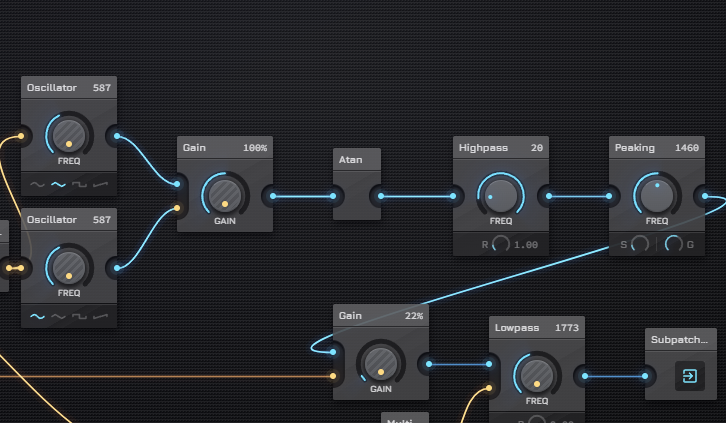
The new Atan Node takes a single signal/constant input and computes the inverse tangent (in radians) for every sample. It’s useful for mapping an unbounded control signal into a bounded range — atan compresses any finite input into that range, making it a smooth nonlinear clamp/squash.
Atan2 Node (new)
The new Atan2 Node computes and outputs the angle in radians of the vector (X, Y) relative to the positive X axis. It is equivalent to atan(Y/X) but handles all four quadrants correctly and avoids division by zero when X is 0. The output is always in the range (-π, π].
Useful for converting cartesian coordinates to an angle, e.g. for phase computations or directional modulation.
Scale Editing Changes
Redesigned scale editor to resemble more to a piano keyboard. Change is visible on:
- Piano Roll Node scale highlight dialog (opening from full screen editor)
- Melody Scale Node properties panel and object on the Patcher
- Notation & Scale settings
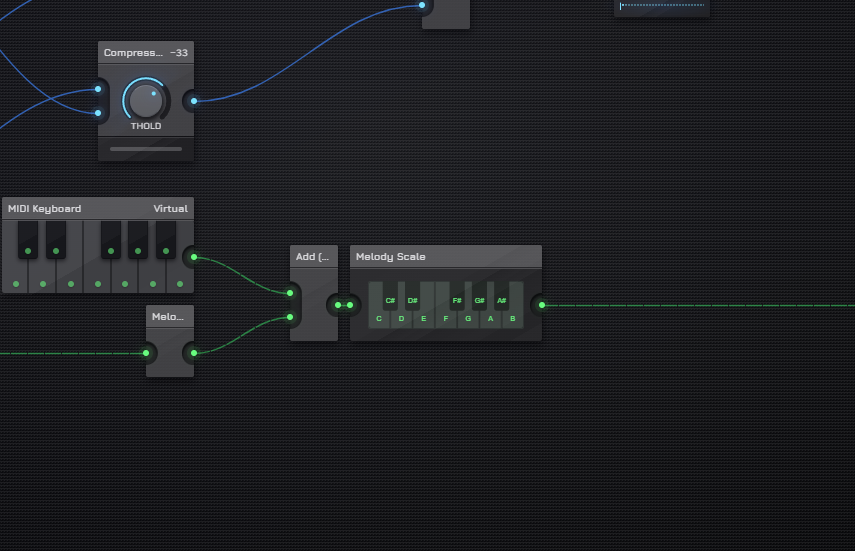
Also on Piano Roll Node: when scale highlighting is enabled, velocity bars and their circles in the velocity editor now render with the out-of-scale grey color instead of green for notes outside the active scale.
Hotkey Changes
- Non-editable hotkeys (for zoom etc.) are now also shown in hotkey settings for informative purposes
- Hotkeys related to MIDI Keyboard Node now have a Keyboard Layout dropdown to select between a few common layouts like QUERTY and QUERTZ
Misc Changes & Fixes
- Fixed a visual issue in the Custom Node Designer that caused the input/output area to not be marked on the Node body
- Node search (not the Node browser) now shows the loaded plugin’s name for VST Plugin Nodes, correctly filters by additional Node data like audio file name or VST plugin name
- Node rename field now once again shows on Patcher Node menu
- Fixed moving Timeline clips with hotkeys being slow and sluggish
- Fixed an issue where keypresses would move the cursor to the end of multiline text inputs