
Release 0.14.3 is now out! This update brings important stability fixes to VST plugins, a handful of QoL improvements to the Patcher, a more stable processing load meter, the new Favorites tab for snippets and custom Nodes, and a sweep of important fixes and improvements to various Nodes.
VST Plugins
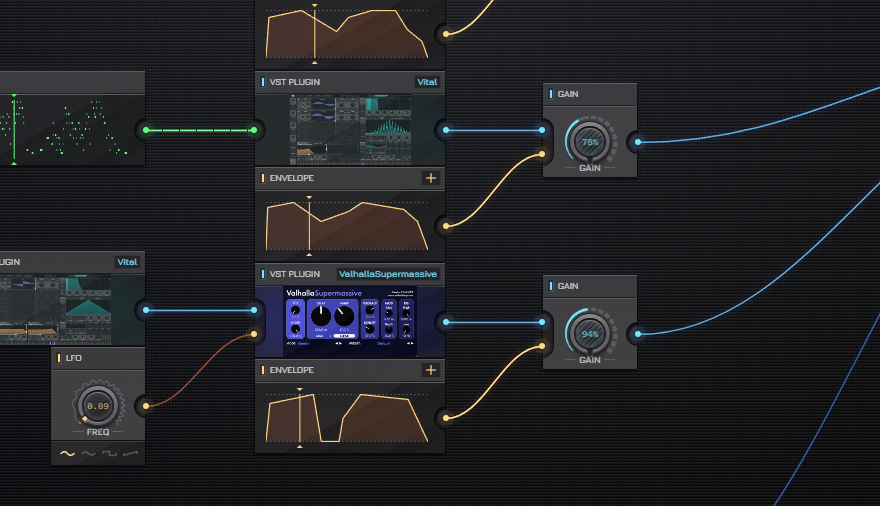
VST plugin processing receives a large haul of stability, performance, and QoL changes in this update:
- Greatly improved audio stability to eliminate and reduce glitching even at low buffer sizes
- Added a new Oversample setting to the VST Plugin Node
- Fixed a bug where starting playback halfway through notes would not play those notes
- Fixed several bugs where opening a project (or restarting AudioNodes with a project open with VST plugins in it) would restore plugin state incorrectly
- Increased the maximum number of concurrent input-controlled parameters from 8 to 64
- QoL improvements for the installed plugin browser that was added in the last update:
- Added a format filter (All, VST2, VST3)
- Added a collection filter (All, Recent, Favorites)
- Added an option to mark plugins as favorites for quick access
Additionally, the update also makes QoL improvements to the installed plugin browser added in the last update:
- Added a format filter (All, VST2, VST3)
- Added a collection filter (All, Recent, Favorites)
- Added an option to mark plugins as favorites for quick access
Note: there is a known outstanding issue where VST plugins use more CPU than reasonable/needed. This is being addressed for a later update.
Patcher
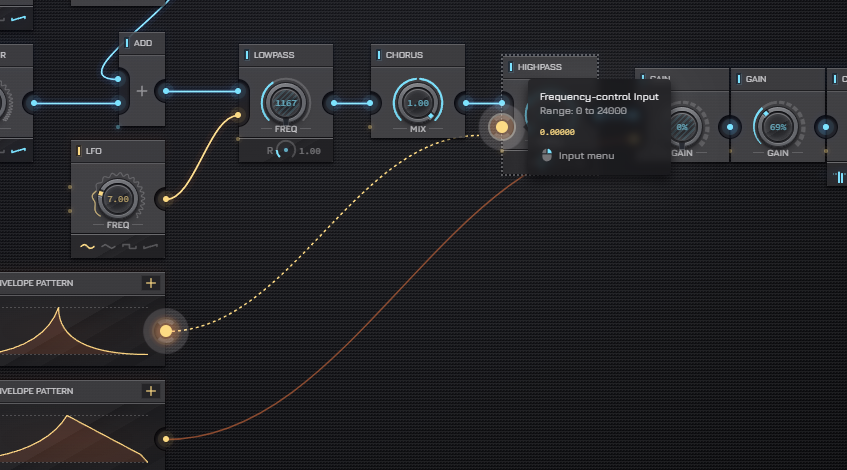
The Patcher is receiving a set of usability and QoL improvements in this update to make it a bit easier and faster to use overall.
Notable changes:
- Drawing a connection near the Patcher’s edge will now automatically scroll the viewport (like when dragging a Node)
- Drawing a connection will now “latch” onto nearby input ports, making it easier and faster to draw connections with less pointer precision
- Fixed a visual issue where opening a Piano Roll Node‘s editor on the secondary window would cause the Patcher to visually blink
- Nodes with a playback marker on the Patcher now clearly indicate if the playback marker is before/after the visualized section instead of just hiding it
- Using shift+click to add multiple Nodes now works correctly for custom Nodes
- Pressing Tab while on the Patcher now opens the node browser
Nodes
Envelope Pattern Node
- Fixed an issue where the output would be incorrectly offset after being unfrozen in a Rendered Subpatch Node
Log Node
- No longer indicates an error status while frozen in a Rendered Subpatch Node
Loop Subpatch Node
- The additional iteration patches no longer take up processing load while the Loop Subpatch Node is frozen in a Rendered Subpatch Node
Note Merger Node
- Fixed a bug where the Note Merger Node would not, in fact, merge notes in several cases
- The default buffer duration is now 1 (instead of 0)
Note Trigger Node
- The Note Trigger Node now also consistently triggers with a constant input, same as a signal input
One Per X Node
- No longer indicates an error status due to division by zero while frozen in a Rendered Subpatch Node
Piano Roll Node
- Fixed a visual bug where the notes shown under the cursor on empty editor grid would appear an octave higher
Pitch Shift Node
- Added a new latency output to the Pitch Shift Node
Poly Subpatch Node
- The additional voice patches no longer take up processing load while the Poly Subpatch Node is frozen in a Rendered Subpatch Node
Power Node
- Fixed a performance issue where processing load would build up each time the input channel count changed
Project Info Node
- Added a new Base Note output
- Added a new pair of outputs for the project time signature
Range Transform Node
- Fixed the logarithmic Transform mode option being ignored when the input was driven by another Node
Rendered Subpatch Node
- Opening the subpatch for editing no longer unfreezes nested Rendered Subpatch Nodes
- Fixed several Nodes that would still take up processing load even while frozen inside a Rendered Subpatch Node:
Misc Changes & Fixes
- Added a Theme setting to the Custom Node Designer to override the Custom Node color theme
- Added a new Favorites tab to the Snippet Browser and an option to mark snippets and Custom Nodes as favorites
- Improved accuracy of the processing load display in the header, in most cases it’s now much better at indicating how close you are to glitching or how much headroom you still have