AudioNodes Modular Plugin Host
Load VST 2.4 and VST 3 plugins as connectable Nodes and route them any way you like, including serial chains, parallel racks, sidechains, and feedback. Supplemented with 130+ built-in Nodes, including a Piano Roll, sequencers, automation and modulation, as well as an automation and MIDI Timeline in one package.
Alpha version – check out the changelog
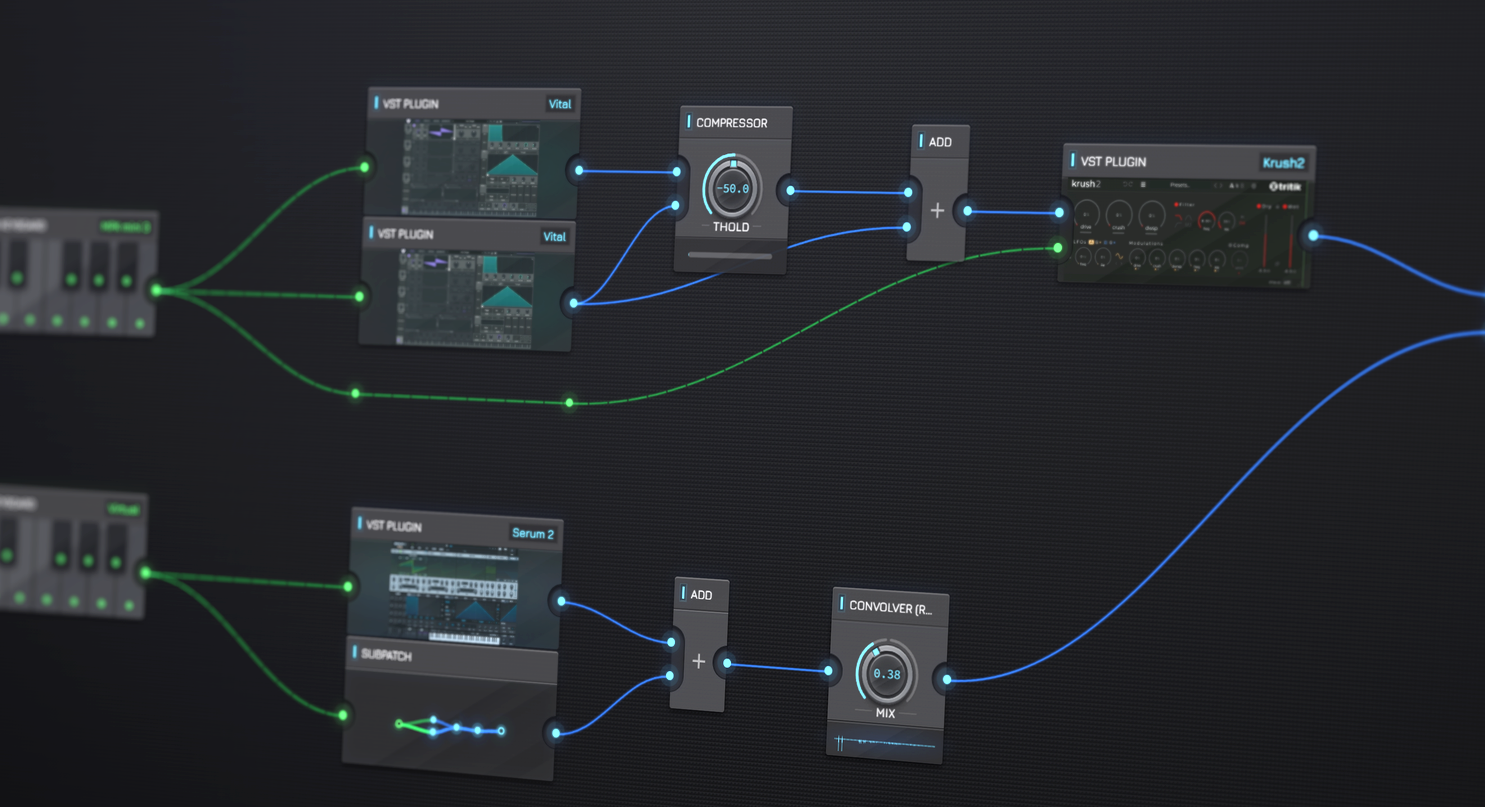
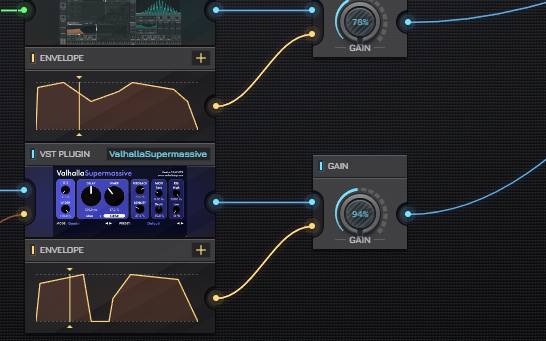
Patch Multiple Plugins
Serial chains, parallel racks, wet/dry splits, feedback through a delay: routing is just cables, and the patch keeps playing while you rewire it. With AudioNodes HD, turn on automation for a plugin parameter and it becomes a control input that any LFO, envelope, or sequencer can drive.
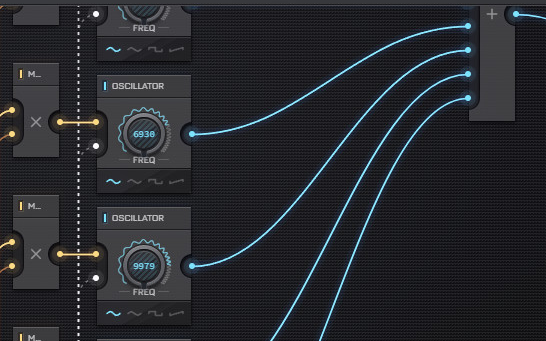
Mix With Built-in Nodes
Plugins share the patch with 130+ built-in Nodes: oscillators, filters, effects, envelopes, sequencers, and math. Drop one of 15 analyzer Nodes after any plugin to see exactly what it did to the signal.
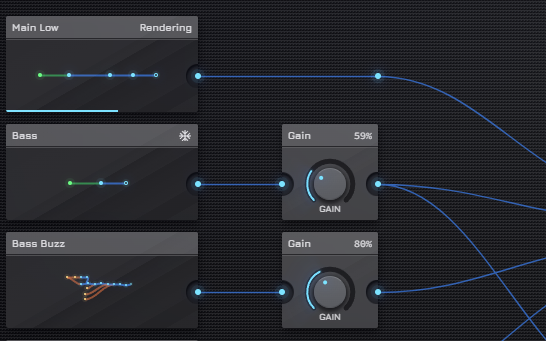
Fold & Reuse Plugin Chains
Fold a plugin chain into a subpatch and it becomes a single Node with its own ports. Save it as a snippet or a Custom Node to reuse it across projects.
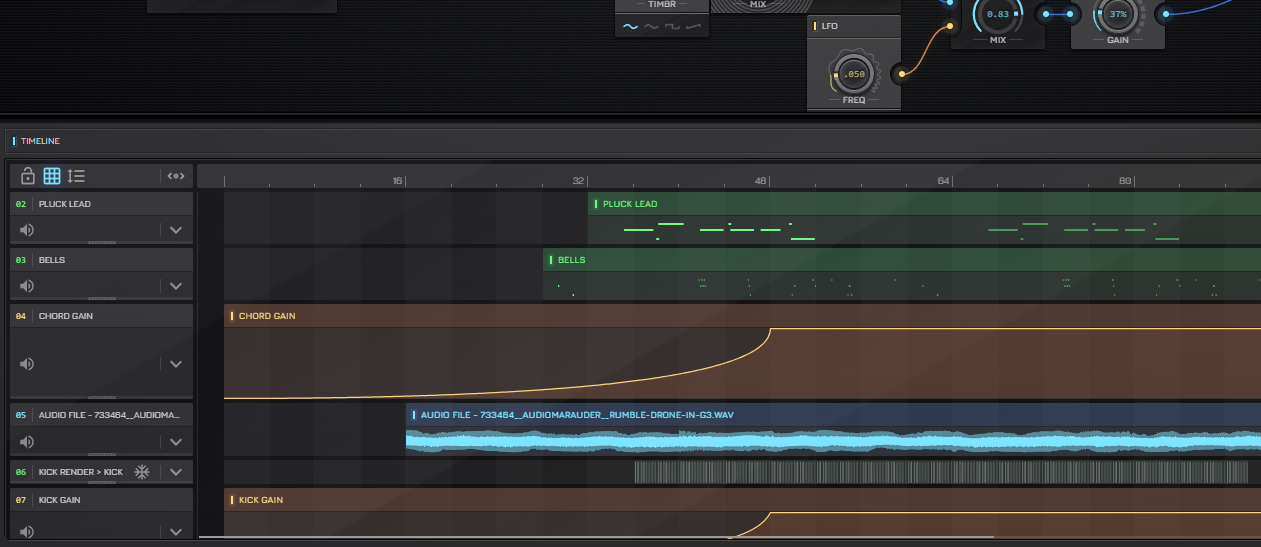
Sequence & Arrange
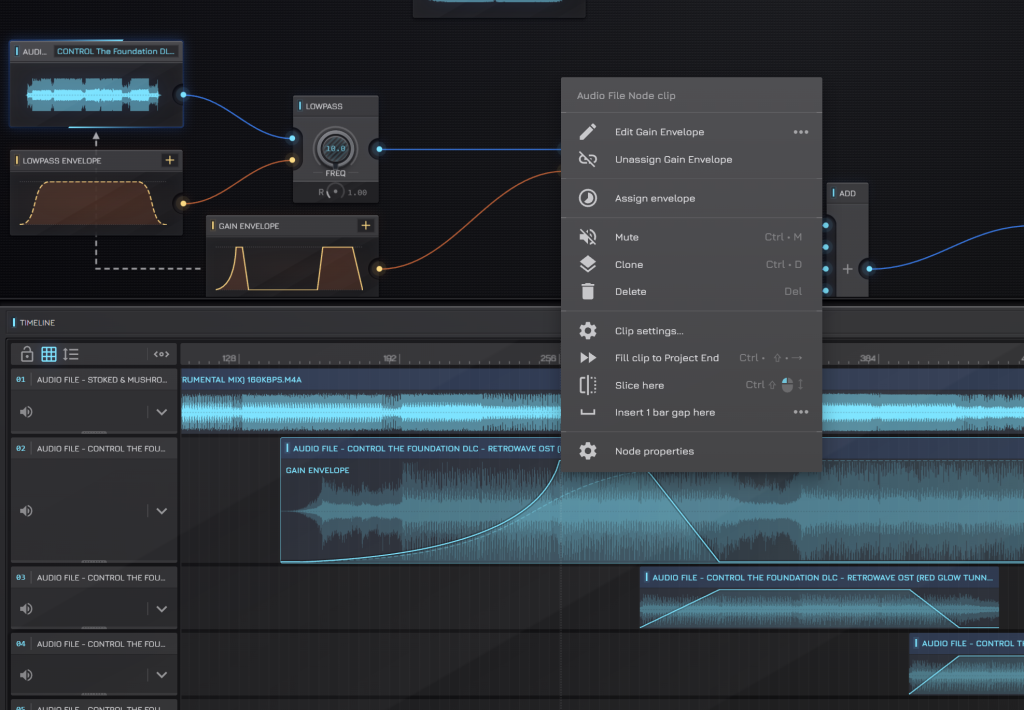
Play a VST instrument from the Piano Roll, automate it with envelope clips, and arrange it on the Timeline next to audio clips and note patterns. Export to WAV, MP3, or OGG at up to 96 kHz.
LATEST UPDATE
0.15.1 Update – Mac Version Performance & Envelope Editing Hotfix
The next update of AudioNodes, 0.15.1 is now out! This is a small hotfix that adds a new default output device setting, fixes a performance issue on the Mac desktop version, fixes an issue with editing envelopes via the Envelope Node, and brings a few more QoL improvements.
Plugins as Nodes
Drop a plugin into AudioNodes and it loads as a patchable Node, with its audio and MIDI as connectable ports.
Crash isolation
Every plugin instance runs in its own process: a crashing plugin cannot take the project down, and it can be reloaded in place.
VST 3 multi-bus routing
Supports up to 4 input and 8 output buses as separately connectable ports, including sidechain compressors and multi-output drum synths and more.
Latency signal
Each plugin can report its total delay on a Latency output, so you can line up parallel lines with the plugin’s output.
Oversampling
With AudioNodes HD, run a distorting plugin at 2x or 4x to cut aliasing. Only the Nodes that need it pay the cost.
Windows, macOS, and Linux
VST 3 on all three and 64-bit VST 2.4 on Windows, in the desktop application, with one project format across all three.
Plugin Formats & Platforms
| Windows | macOS | Linux | |
|---|---|---|---|
| VST 3 | Supported | Supported | Supported |
| VST 2.4 | Supported | Not supported | Not supported |
How AudioNodes hosts plugins
What plugin formats does AudioNodes host?
The full desktop version supports VST 3 plugins on Windows, macOS, and Linux, and also VST 2.4 plugins on Windows. Each plugin runs in its own host process with crash-isolation. Crashed plugins can be restarted individually easily without crashing the entire host.
Can I modulate VST plugin parameters?
Yes, with AudioNodes HD. Turn on automation for a parameter and it becomes a control input on the Node. Any signal can drive it: LFOs, ADSR envelopes, step sequencers, hardware knobs through the MIDI Knob Node, or another plugin’s output.
Is AudioNodes a DAW?
Technically yes, but it’s a DAW with a unique, fully patchable approach. Instead of the fixed track-and-mixer layout of a traditional DAW and all its overhead, the whole project is one Node graph, where you use only what you need.
What happens if a plugin crashes?
The crash is contained to that plugin only, leaving the rest running. AudioNodes shows feedback on the error and enables restarting it in place with the same state fast and easy.
Can I reuse a plugin chain in other projects?
Yes. You can group it into a subpatch, and then optionally either save it as a reusable snippet or a Custom Node.
Can I play a VST instrument live?
Yes, with three Nodes: a MIDI Keyboard into a VST Plugin into the Audio Destination. Play it from a MIDI keyboard or your computer keyboard.
Is plugin hosting free?
Yes: load plugins, patch their audio and MIDI, play them live, or sequence them from the Piano Roll. AudioNodes HD adds parameter automation and oversampling: drive any plugin parameter from the patch, and run distorting plugins at 2x or 4x.
Start patching plugins
Download AudioNodes for Windows, macOS, or Linux and load your plugins into the Patcher.