
Happy new year! The first update to AudioNodes this year, 0.12.3, is now out. This is a mostly technical update with major improvements to the Rendered Subpatch Node, UI optimization, some important bugfixes, and a slight touch-up of the touch UI.
Priority Fixes
- Fixed a rare bug where the Multiply Node output would be off by 1
- Envelope Node should no longer output silence in some rare cases while exporting/rendering
UI Optimization
One of the main goals of this update is to optimize UI performance, especially for large projects. The following should be noticeably faster now:
- Deleting Nodes, especially complex custom Nodes and subpatches
- Undo/redo for large changes (such as the deletion of a large number of Nodes)
- Creating complex custom Nodes or pasting a large number of Nodes
- Creating complex Poly Subpatch Nodes with a large number of voices
Additionally — and most importantly — this update fixes multiple performance bottlenecks of the export/rendering process, which was causing significant UI freezing with some patches, and was especially noticeable when using the Rendered Subpatch Node (note: the web version on Firefox may show delayed rendering for some patches (a previous cause of UI freezing) — this will be fixed later).
Nodes
Rendered Subpatch Node
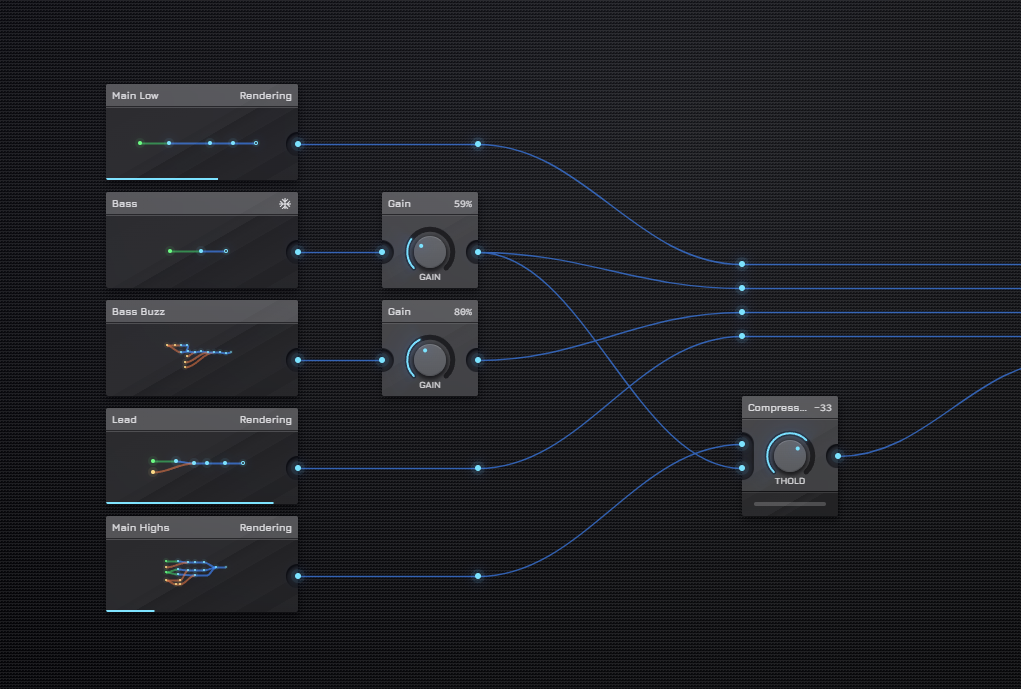
The Rendered Subpatch Node receives a set of important fixes and QoL improvements in this update, to make it more convenient to use:
- The output is no longer re-rendered unnecessarily on some irrelevant changes (such as node name, patcher position, or timeline position changes)
- Results are now cached into persistent storage and load almost instantly the next time
- Fixed several sources of UI stuttering and freezing during the rendering process
- The rendering process now supports parallelization in the desktop version of AudioNodes
- Fixed a bug where, if rendering finished during playback, the output was delayed by a tiny amount
Additionally, the Rendered Subpatch Node is no longer experimental. Enjoy! (Though many more improvements and features will follow in coming updates.)
Piano Roll Node
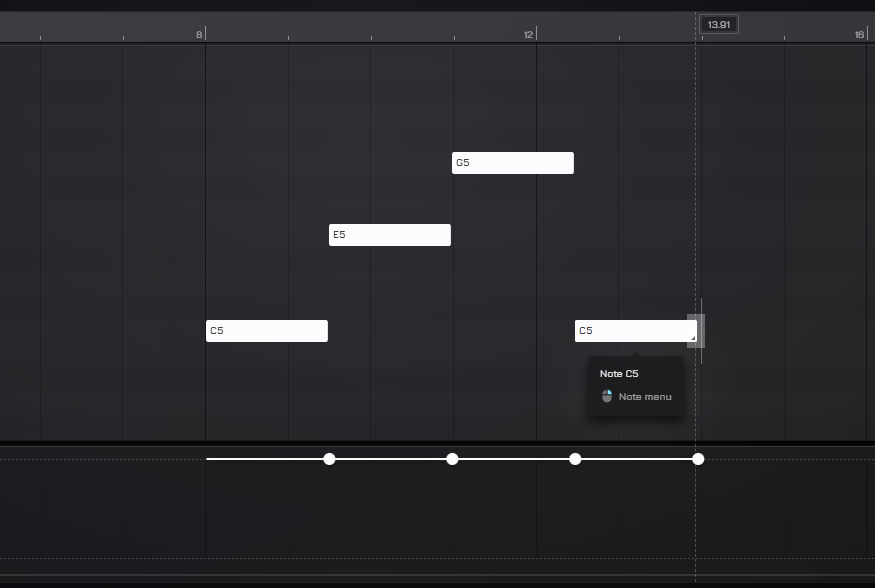
- When dragging multiple notes, by default the piano roll will scale them evenly (can be overriden from the piano roll options)
- The left edge of each note is now draggable
- Added a Select all (x) velocity option for notes (similar to Select All (x) Pitch / Length).
Wave Type Param Node
The Wave Type Param Node receives a new Waves per line option, enabling alternative layouts.
Noise Generator Node
The Noise Generator Node now has blue and velvet noise options, along with a new Velvet density setting that controls the number of noise impulses per second for velvet noise.
Phase Correlation Meter Node
The new, experimental Phase Correlation Meter Node, as its name implies, measures and visualizes phase correlation between stereo channels. Supports custom nodes.
XY Visualizer Node
The new, experimental XY Visualizer Node looks like an XY Param Node, but instead it visualizes a pair of values on a 2D canvas, instead of being the source of them. Supports custom nodes.
Scale Highlight
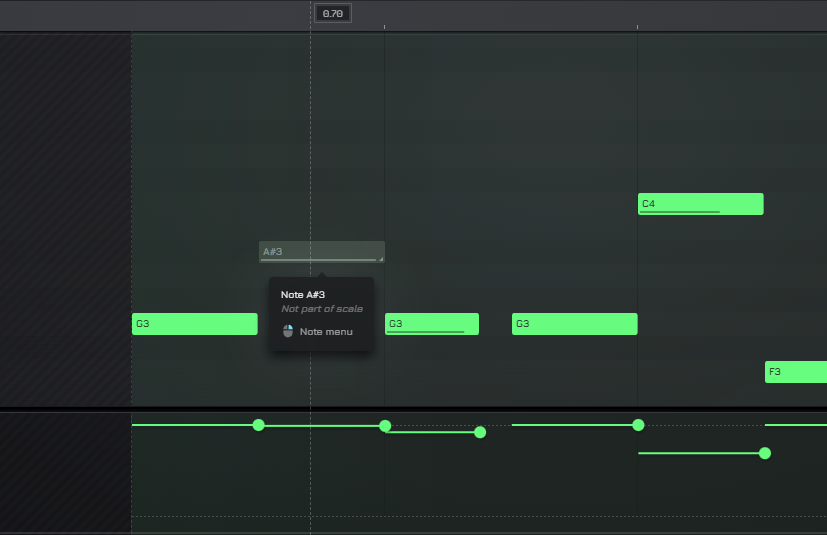
The Scale Highlight is a new visual guide that helps staying in key while editing notes. You can choose or configure the default scale for the current project from Settings, then Notation & Scales. Different Nodes use it in different ways:
- The Piano Roll Node visually indicates if a note is not on the scale in the editor
- The Melody Scale Node and Melody Step Alter Node default to the project configuration for their own behavior (can be overridden on a per-Node level, as before)
- The Constant Note Node, Sequencer Node, Sequencer Trigger Node, Note Trigger Node, Note Override Node, Melody Filter Node, and Melody Circle Sequencer Node indicate which notes are on scale in the pitch select field
Touch UI
This update also does a slight touch-up on the touch UI:
- Numeric inputs now show numeric keyboard on phones/tablets
- The Piano Roll Node now once again plays the note when tapping it on the left
- Project title and user widget in header are now fully visible
- Added insert silence and track group select to the Timeline touch menu in the header (shows after tapping on a clip)
Timeline
- Fixed a bug where Timeline markers would become non-interactable after scrolling or zooming
- Added a new Custom option to the Repeat setting when placing a marker, and the preset options now follow the project’s time signature setting
Misc Changes & Fixes
- Snippet and custom Node descriptions now support markdown formatting, though this is kind of a work in progress, and will see more iteration in coming updates
- Fixed Melody Circle Sequencer Node, Melody Microtuner Node, Monitor Node, Text Visualizer Node, and Vectorscope Node appearance on high DPI screens