
The next AudioNodes update is now out! This is a large technical update that introduces 24-bit and 32-bit wav export options, greatly improves on UI performance (especially for lower performance devices), brings a steady but extensive audio performance tune-up, improves custom Node and snippet previews, and fixes some important outstanding issues.
Audio Performance
This update fixes several systematic performance bottlenecks in audio processing, which yields a steady 15% to 25% performance improvement across a large variety of Nodes.
The change affects the following Nodes:
- Abs Value Node
- ADSR Node (when in Signal threshold trigger mode)
- Audio File Sampler Node
- Bitcrusher Node
- Clamp Node
- Compressor Node
- Cosine Node
- Fractional Node
- Greater Than Zero Node
- LFO Node (when Sync input is enabled)
- Log Node
- Max Node
- Min Node
- One Per X Node
- Oscillator Node (when Sync input is enabled)
- Pitch Detect Node
- Power Node
- Range Transform Node (when input clamping is enabled)
- Resonator Node
- Round Node
- Sample And Hold Node
- Sign Node
- Sine Node
- Smooth Node
- Switch (Audio/Control) Node
- Tan Node
- TanH Node
- Timer Node
Some Nodes receive further performance improvements in this update beyond this baseline 15-25% improvement. See the Nodes section below for more details.
UI Performance
The update also includes a major UI performance optimization pass that should be especially noticeable on lower performance devices.
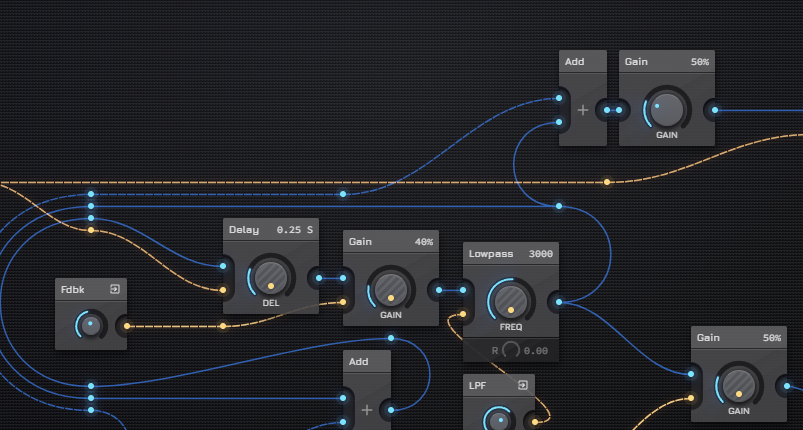
This also has some limited visual impact. Some fancy effects, like blurring the background behind some elements, has been turned off for the time being, until it’s clear how they can be reimplemented with a better performance.
Nodes
Envelope Sampler Node
- Greatly improved processing performance (beyond the baseline performance improvements in this update), the Envelope Sampler Node should now be roughly 5 times faster than before
Memory Bit Node
- Fixed Memory Bit Node output toggling unexpectedly when its trigger input was a constant value
- Fixed a performance bug that would cause the Memory Bit Node to take up extra processing load, especially when it was toggled fast
- In some cases, it should now be approximately 300% faster than before
Poly Subpatch Node
- Fixed a glitch that would cause intermittent UI lag with more complex subpatches shortly after the Poly Subpatch Node was pasted or duplicated, or after the project was reopened
Vocoder Node
- Deprecated, because this Node is easy to recreate as a custom Node now
Export
- Added options for 24-bit and 32-bit wav exports, which come with a much lower noise floor than the previously available export quality, which was 16-bit
Node Browser & Snippets
- When creating custom Nodes and snippets, the preview now appears much faster than before
- Fixed a bug where custom Node and snippet previews would not appear
- Nodes that cannot be added to the current patch/subpatch are now shown in the Node Browser, but are disabled and show a short explanation
- Custom Nodes and snippets that cannot be added to the current patch/subpatch now appear with disabled styling — this is determined by the Nodes they contain on their own patch
- Fixed tag field keeping clearing itself and now suggestions are available
Misc Changes and Fixes
- Fixed “not logged in” error when saving a snippet or custom Node with large files
- Added well-known default common time (4/4) and cut time (2/2) buttons to quickly set time signature in the header