
The next update of AudioNodes is now available, and with it comes more improvements and important fixes to the VST Plugin Node, a slight processing performance tune, a set of handy UI and QoL changes all around, and several other important bugfixes.
Priority Fixes
- Playback State Node Current Time output is now correct when the BPM is not the default 60
- Fixed multiple performance glitches that, when several Nodes switch from constant folded mode to signal mode at once, would cause visible lag
- Note: this is a larger internal change that has major implications on how constant connection paths work; don’t hesitate to drop any bugs that come from this change on the Discord
- Fixed multiple instances of a long-outstanding issue, where adding complex custom Nodes or snippets with nested Subpatch Nodes or Poly Subpatch Nodes would cause some connections to be dropped
- This also affected copy-pasting
- The nature of this bug means there is a chance it’s not entirely sorted still, but there are no known sources of it currently
Nodes
Add Node
- Added option to convert to a Channel Merger Node, from the top-right menu button from Node properties
Audio File Node
- Fixed Audio File Node playback not respecting timeline changes (insert gap etc.) and playing during clip “holes”.
Channel Merger Node
- Added option to convert to an Add Node, from the top-right menu button from Node properties
- Added option to convert to a Channel Splitter Node, from the top-right menu button from Node properties
Channel Splitter Node
- Added option to convert to a Channel Merger Node, from the top-right menu button from Node properties
Constant Note Node
- Constant Note Node no longer outputs E5 while C0 is selected
Drum Sequencer Node
- Fixed Drum Sequencer Node output pitch being one octave higher than what’s shown on the UI
Envelope Node
- Fixed several issues with output not being correct when looping playback
Envelope Pattern Node
- Added a new option to the Envelope Pattern Node to snap control points to the grid, at the top of the envelope editor on the settings panel
- When enabled, control points snap to evenly-spaced grid divisions as you drag them, making it easy to place points at clean fractions of the envelope
- The snap radius — how close a control point needs to be on the screen before it snaps — is configurable in Display Settings under Envelope snap-to-grid radius
LFO Node
- Added a new Wave-type input for the LFO Node to control the Wave type option (use Wave Type Param Node for providing waveforms)
- Added option to convert to an Oscillator Node, from the top-right menu button from Node properties
Log Node
- Improved processing performance for constant-like signal inputs, by roughly 20% (not constant folded input sources)
MIDI Keyboard Node
- MIDI Keyboard Node now shows notes above MIDI code 127 with distinct styling
- Fixed a visual bug where playing a note above a MIDI code of 127 would cause all notes to appear playing
- Fixed output pitch being one octave lower than what was shown on the UI
Oscillator Node
- Added option to convert to an LFO Node, from the top-right menu button from Node properties
Playback State Node
- Fixed Playback State Node Current Time output being incorrect when project BPM was not 60
- Fixed several issues with Current Time output not being correct when looping playback
Piano Roll Node
- Renamed Transfer option to Move notes to… for clarity, and added an option to set a name for any new Piano Roll Nodes created during the process
- Added an option to put text markers into the editor header, similarly to Timeline
Power Node
- Improved processing performance for constant-like signal inputs, by roughly 20% (not constant folded input sources)
Sign Node
- Redesigned processing model to greatly improve performance, in all cases, by roughly 800%
Tan Node
- Improved processing performance for constant-like signal inputs, by roughly 20% (not constant folded input sources)
Tanh Node
- Improved processing performance for constant-like signal inputs, by roughly 20% (not constant folded input sources)
Velocity Sequencer Node
- Fixed Velocity Sequencer Node envelope duration being incorrect with custom step length mode enabled
VST Plugin Node
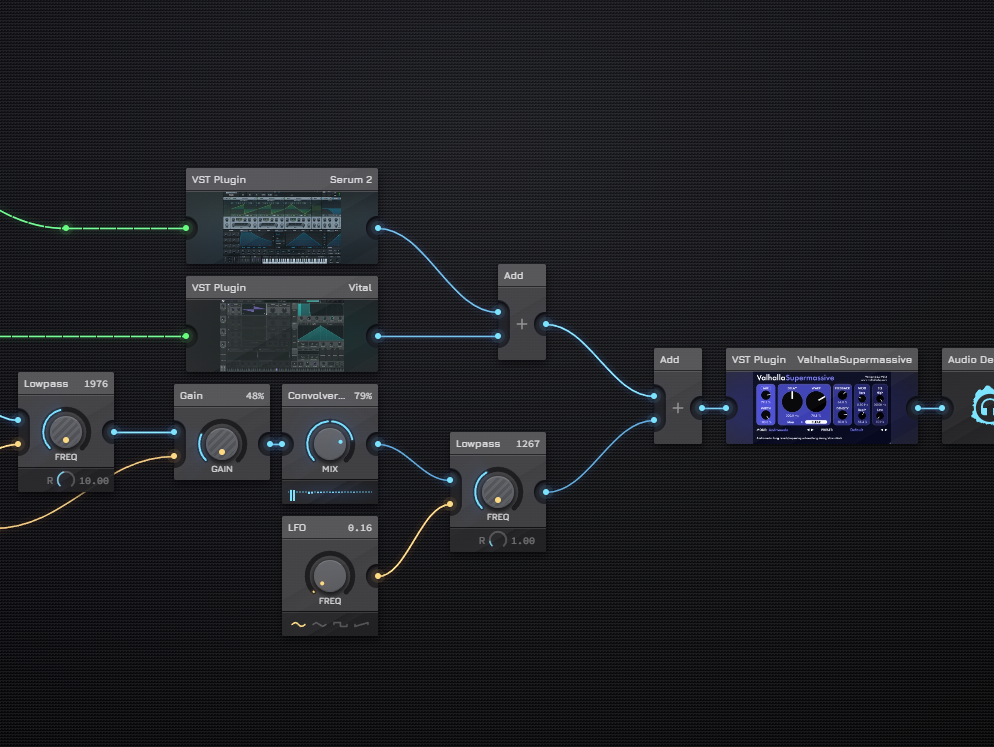
- Added support for plugins with multiple audio inputs & outputs — these will now appear as separate inputs/outputs on the VST Plugin Node on the Patcher
- Fixed multiple issues causing plugins not to load on Linux
- Fixed multiple issues causing notes to play at the wrong time, not play at all, or continue to play even after they should’ve ended already
- The feed now shows up correctly on Linux, instead of just showing a black rectangle
- The VST plugin window can now be closed on Linux
- Plugins with more than 32 input or output channels now load without crashing (channel count support is still limited to 32)
XY Param Node
- Added a new optional X-Control Input and a new Y-Control Input to control the X/Y values — this also provides a realtime feedback as those controls change
MIDI Pitch Label & Range
AudioNodes uses the scientific pitch notation, meaning the MIDI code 60 maps to middle C (C4), MIDI 0 maps to C-1, and MIDI 127 maps to G9.
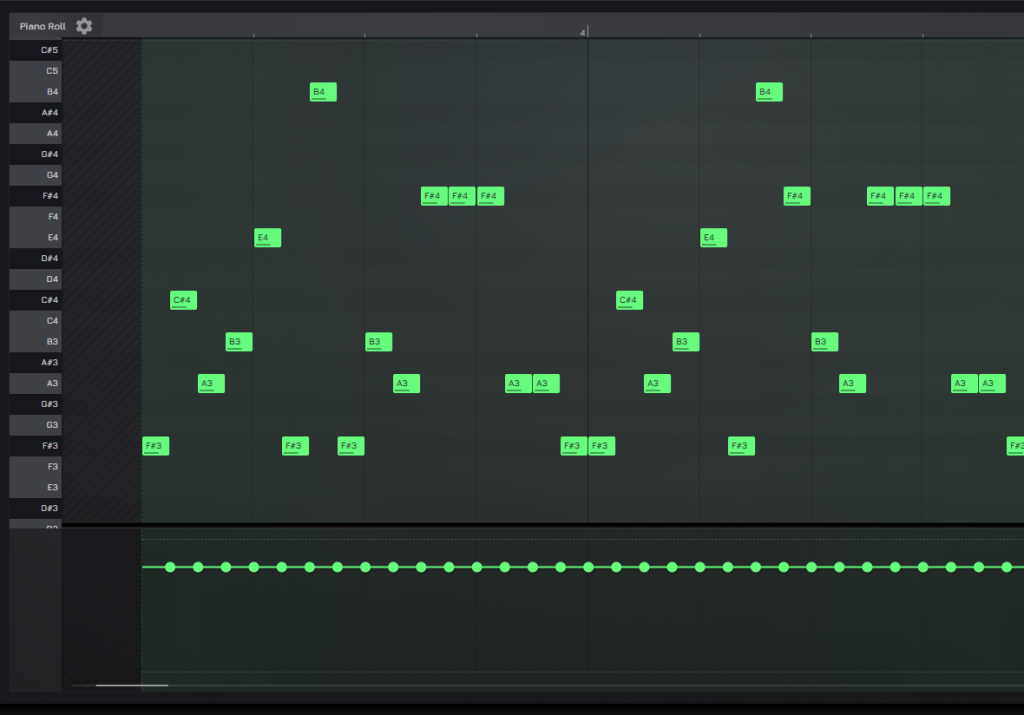
Some nodes, including the Piano Roll Node, supported note up to 139 (G10) before, which went slightly beyond the standard 0-127 MIDI code range. On the low end, the piano roll was bottoming out at C0 (MIDI code 12), leaving an unused octave below it.
With this update, that extended range is now capped at octave 9 for newly placed nodes, including Sequencer Node, Drum Sequencer Node, Melody Circle Sequencer Node, Constant Note Node, MIDI Keyboard Node.
Settings UI & QoL
The Settings UI receives some changes in this update. It continues to be a heavily WIP area, with many settings probably moving in later updates, but this update improves and expands on what’s configurable.
New configuration options:
- Main & UI Settings
- Contrast: lets you crank up the visual punch of the AudioNodes UI and increase contrast across the entire UI
- Display
- Middle C: how octave numbers are labeled across the app, this setting controls whether the note at MIDI pitch 60 is shown as C3, C4, or C5, the default is C4
- Default connection type: the default shape to use for new connections on the Patcher (smooth curve, turn at start, turn at end)
- This only affects output ports without any existing connections, otherwise new connections continue to default to any existing connections from that output
- Envelope snap grid size: grid size to use for envelope editors
- Snap-to-grid radius: same setting as before, moved under Display
- Enable experimental features: same setting as before, moved under Display
Misc Changes & Fixes
- Replaced several dropdown fields throughout AudioNodes with a more accessible, multi-toggle switch alternative that spares a click
- Fixed an issue where the settings button would overlap the close button in the record audio dialog (when choosing to open a file via recording, most notable used by the Audio File Node)
- Fixed wrong position calculation when right clicking to add/edit markers on the Timeline header
- Fonts now load correctly when the webapp is used offline
- Custom nodes in your library and snippets in the Recent tab can now be added even while offline
- Pinned parameter sliders are now disabled when the parameter is input-controlled, making it clear that manual adjustments have no effect
- Step Param Node now respects its theme setting better
- Changing the global note display mode setting now correctly appears for already existing Nodes on the Patcher